Why polling day is so important
Getting your supporters out in force during pre-poll and polling day is one of the most important volunteer activities during the last phase of a campaign. An overwhelming display of your campaign's colours and candidates' face can impact how people vote on the day, with many voters only really making up their minds as they walk into the polling booth. Having well informed and positive volunteers can also act to ensure your campaign message reaches potential voters as they are in their final stages of deliberation before casting their vote.
Polling day challenges
Managing the recruitment, training, and deployment of volunteers for pre-poll and polling day is a critical part of campaigning and has the potential to devolve into a mess of spreadsheets and inconsistent and messy data. Volunteer recruitment can become challenging as there are so many shifts to fill across an electorate, especially without having oversight of data and processes, clear displays of recruitment needs, and intuitive display options for shift recruitment and management.
The solution: shifts in SupporterBase
We have built out our shifts features with this kind of rostering in mind, allowing for flexible event and shift setup, and the choice to recruit in a centralised, decentralised, or mixed way. With all events already synced to your campaign website, pre-poll and polling day events will automatically be added to your calendar page, with sign up forms automatically updating with shift selection based on your event setup. Here’s a rundown on how to make the most of SupporterBase for pre-poll and polling day rostering:
Setting up Polling Booth events
Either create an event in SupporterBase or use our new event import tool to bulk import all of your polling places at once
- If bulk importing events, you can select your roles and shift numbers for each booth during that process, otherwise;
- Click on the ‘manage shifts’ button and start building out your roles and shifts
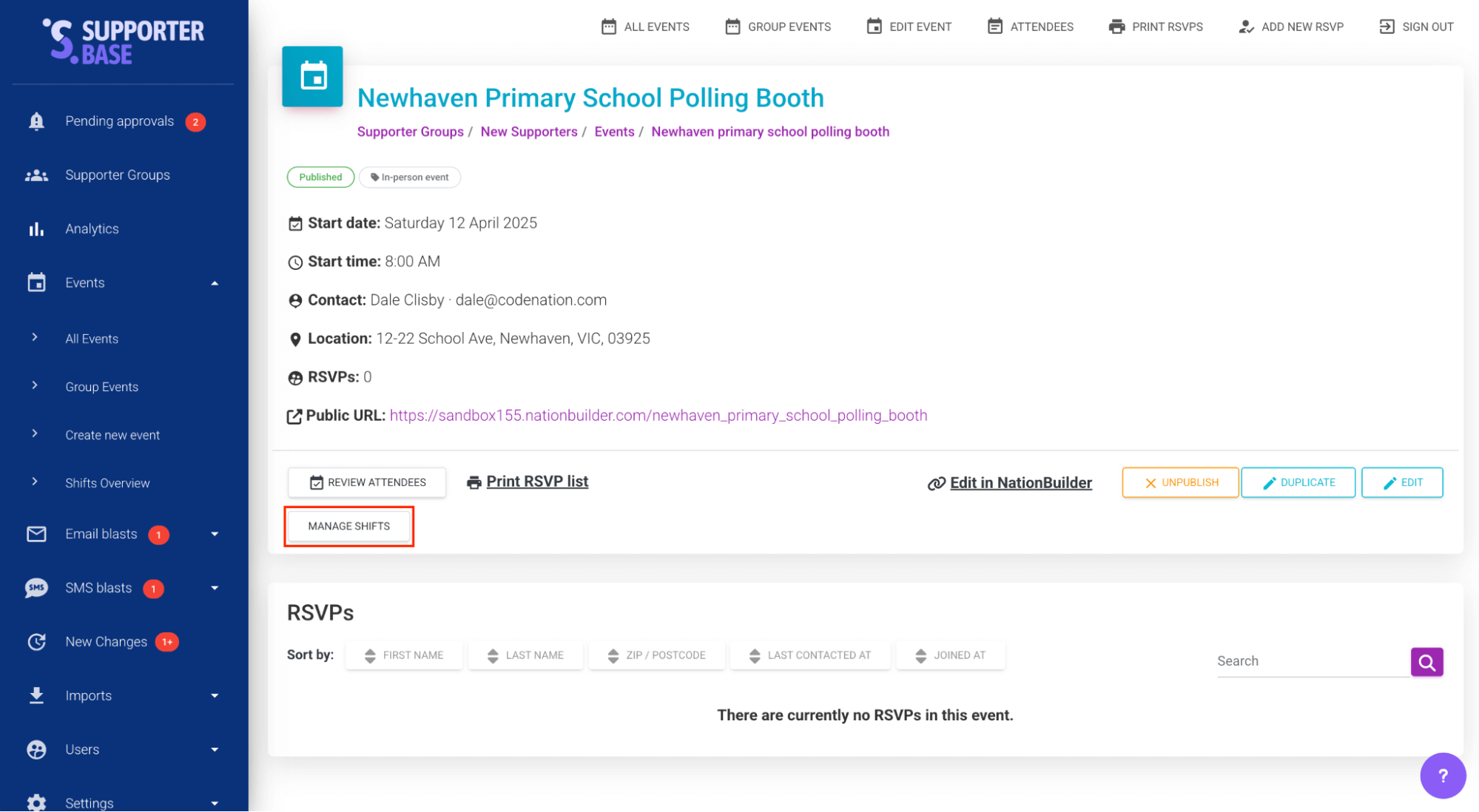
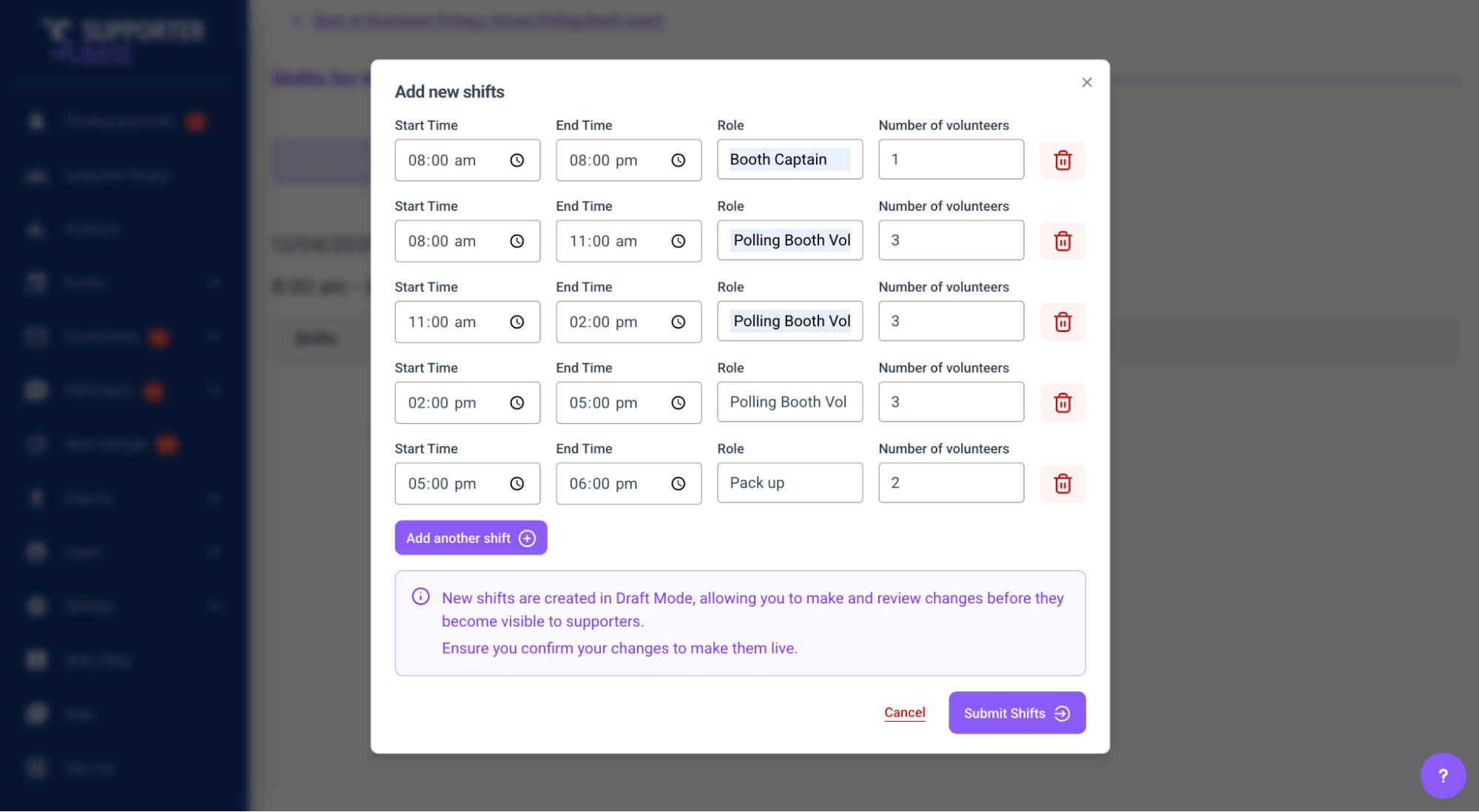
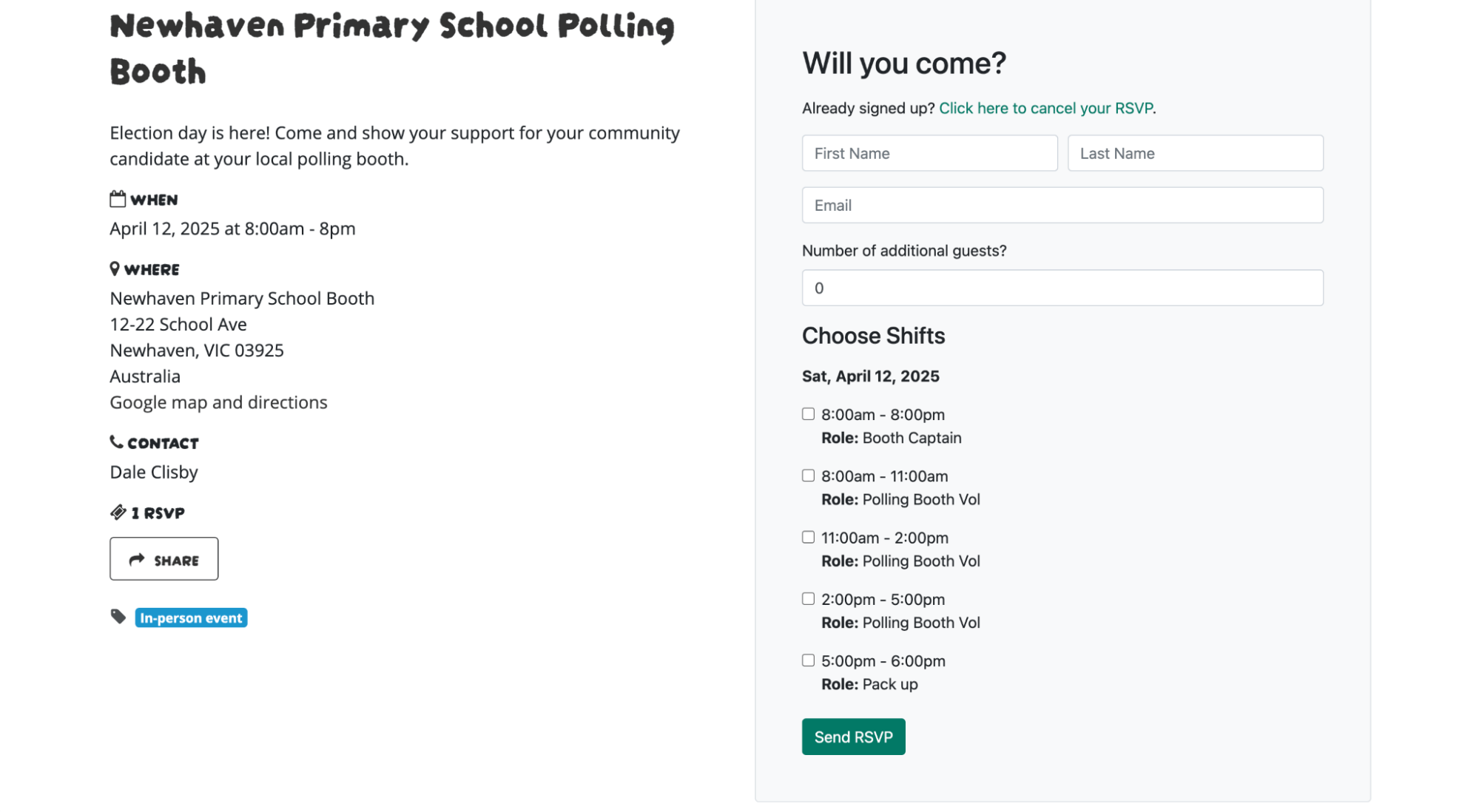
The sync between your SupporterBase and NationBuilder website means that events with shifts will automatically appear on the calendar page linked with your SupporterBase events with shift details applied
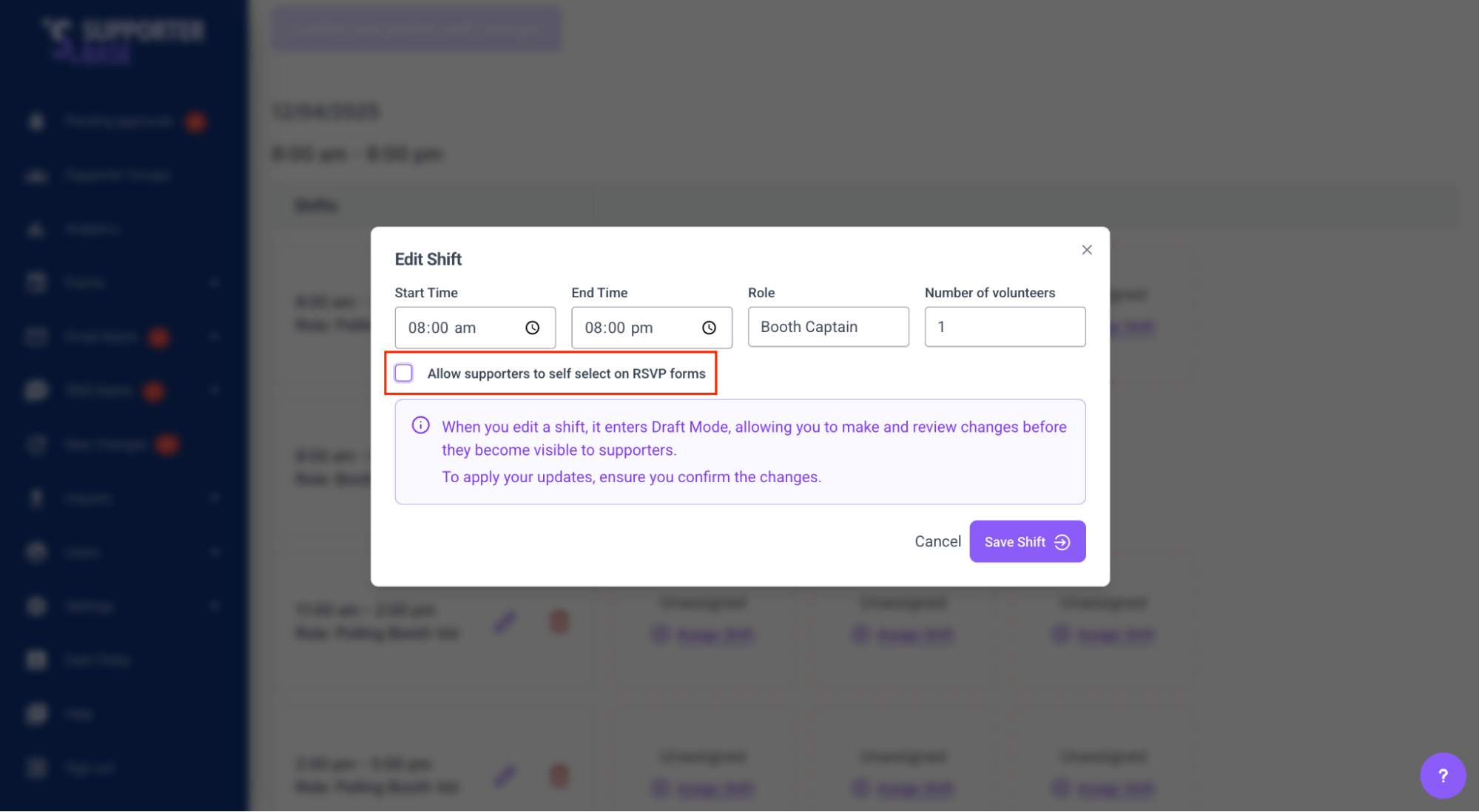
If you don’t want a particular role to appear on your website, for example, you want to recruit your Booth Captains centrally from already upskilled volunteers, you can select to hide the shift data by editing the role
Now our Booth Captain role is not available to be selected on the RSVP form:
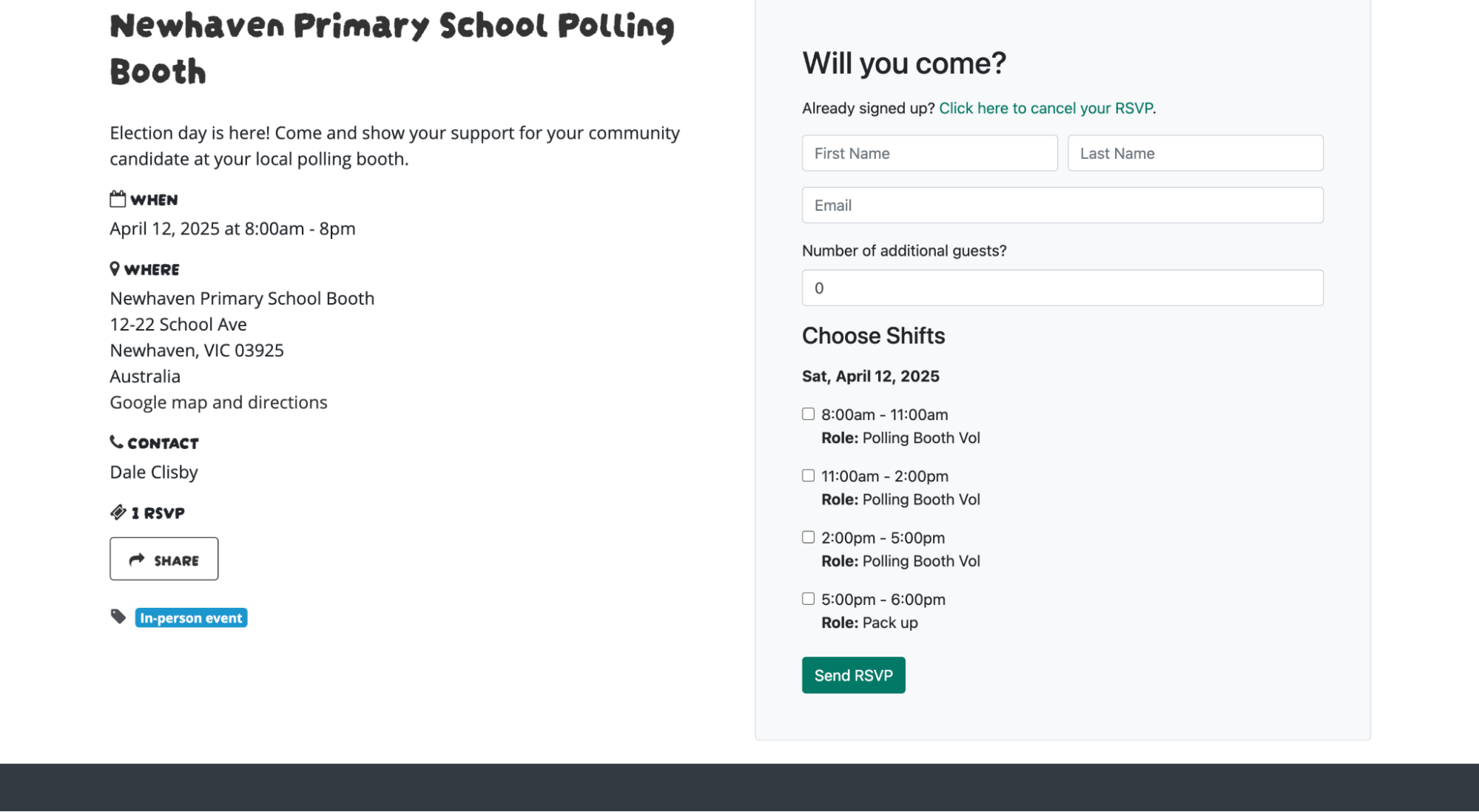
Recruiting for Polling Booth events
There are two options for recruiting volunteers to events with shifts in SupporterBase. The first is to manually roster supporters while in the shift screen. You can do this by simply clicking the ‘assign shift’ link on any available shift and selecting a supporter.
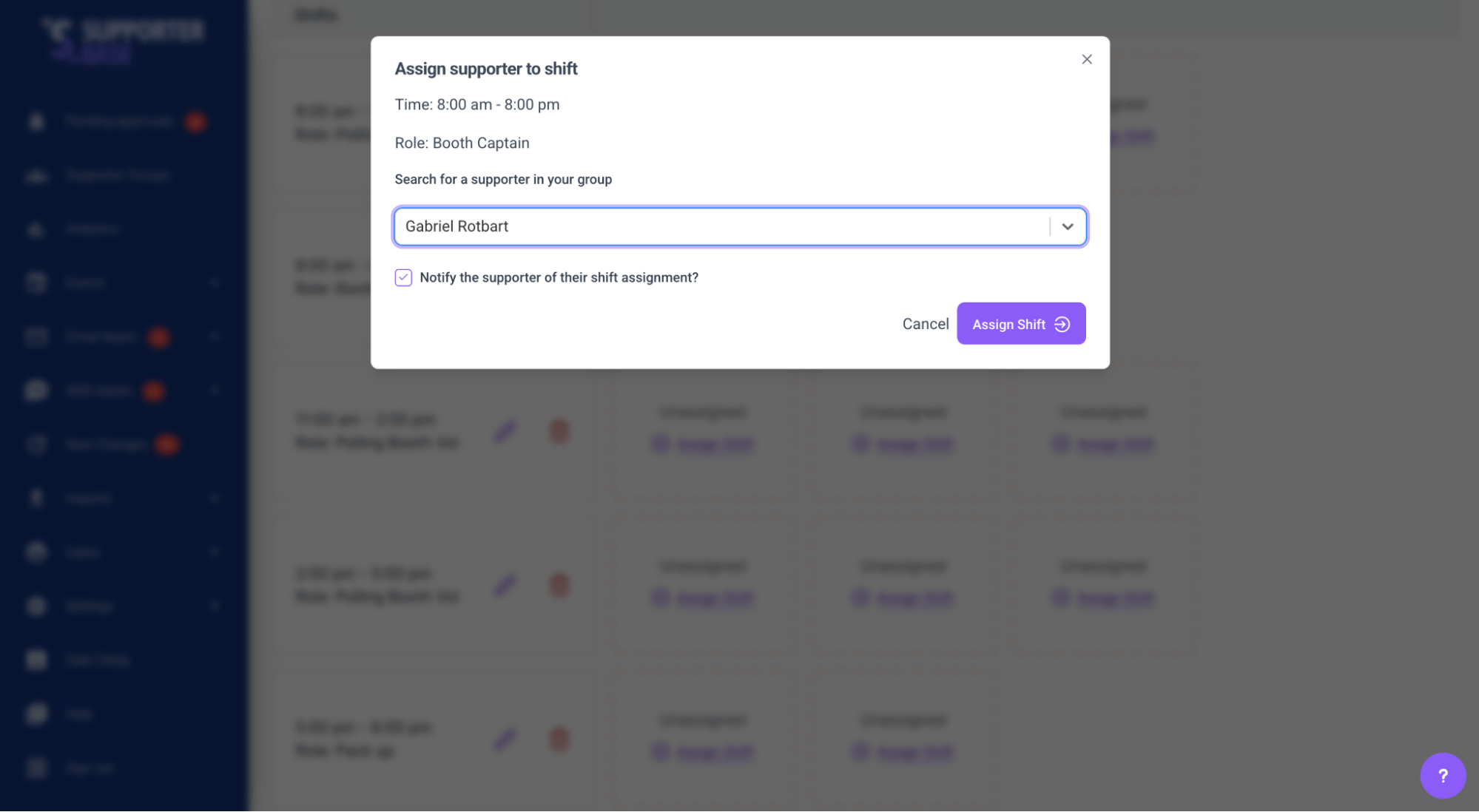
While this kind of centralised process is useful for some of the more important roles like booth captains and scrutineers, it is much more resource and time efficient to have volunteers choose their own shifts. This can be done by creating a NationBuilder calendar page that displays all booths and available shifts, and there are a range of layouts and functionality options we can help implement based on your campaign's specific needs. As detailed in this separate post, for example, we can create displays in the form of maps, calendars, and lists, combined with colour coding and filtering - whatever is going to make it easiest for your volunteers to find and sign up to shifts.
Managing recruitment
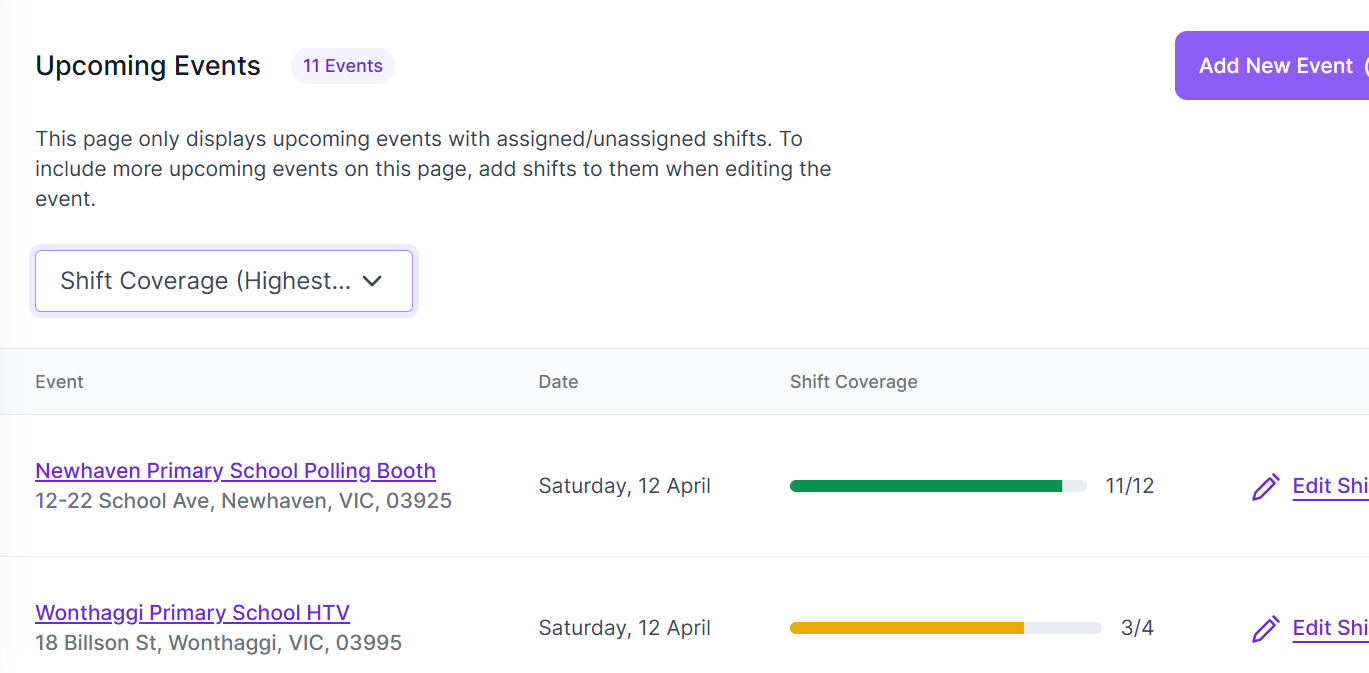
We have introduced a new events view, the ‘Shifts Overview’, which displays all of your events with shifts with a handy display to show you how well recruitment is going at a glance. This display allows those in charge of recruitment to quickly see which booths need more promotion and help with recruitment, as well as a handy way to visualise the state of your overall recruitment. Via this view, you can filter based on which events are coming up most quickly, which events have the highest and lowest levels of shift coverage, and by event name.
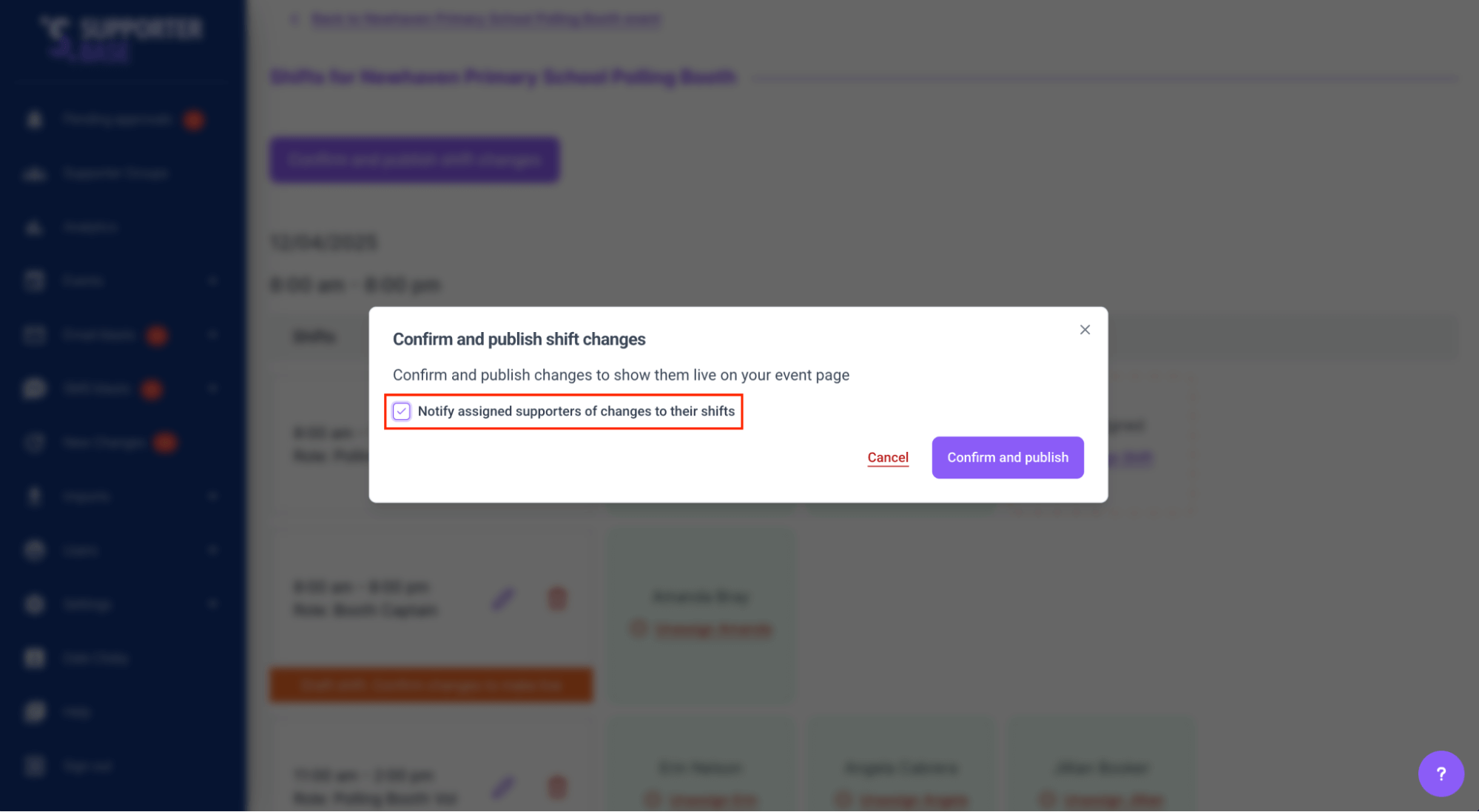
All shifts and roles can be edited, with options to notify any RSVPs of the change to their role or shift details.
To make sure you have the highest turnout of volunteers on the day, you can also set up a reminder SMS using the blast SMS tools, scheduling a SMS to do out the day before with the details of the event and shift data. You could also create a call list of your event RSVPs and host a calling party to confirm RSVPs for polling day shifts.
Setup options
Pre-poll event options
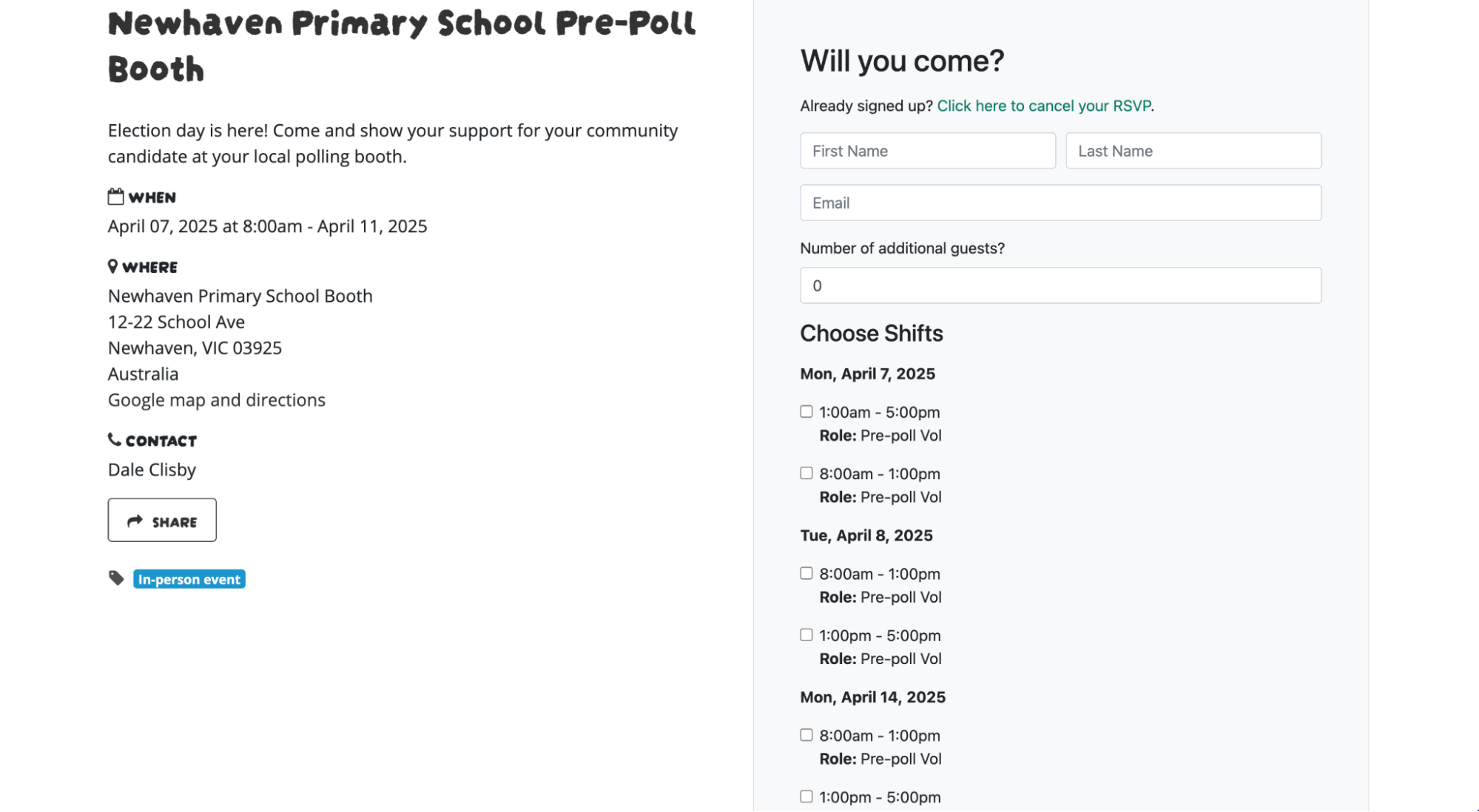
There are two options for creating, managing, and displaying pre-poll events. One option is to create a single event per day of pre-poll. However, this would mean a volunteer would need to go into different events in order to select multiple shifts across days. The second option is to create a multi-day event to cover either all of pre-poll at each location, or each week of pre-poll. You can easily add shifts to each day of a multi-day event and this will display together on a single RSVP form, allowing someone to RSVP for the same shift each day on the same form, rather than needing to RSVP to multiple event pages.
SupporterBase group setup
There are two ways of managing recruitment for pre-poll and polling day, the first being to create these events in each ‘Hub’ group as they already exist in SupporterBase. This would be a good solution if your Hub leaders will be responsible for recruiting volunteers for these events. The other option would be to create a new group in SupporterBase which includes all of the potential polling day volunteers. This way all of the events can be created in that group and your polling day coordinators can manage recruitment from there. This approach would also be neater in allowing the campaign to have a single polling day calendar page, rather than polling day events across different pages.
Scrutineer recruitment
Scrutineers are crucial, especially at priority booths, and there are two ways of managing their recruitment. The first would be to add scrutineer shifts as part of your polling day events, allowing either centralised or decentralised recruitment of those volunteers as part of the process of recruiting all polling day volunteers. The second option would be to create a separate event for scrutineers, again especially for priority booths, so their recruitment can be prioritised and visualised separately from the main polling day events.